
Tax exempt certificates
TaxRateCentral stores the tax exempt certificates of your customers by state. You can attach the certificate document to each certificate. The certificates can also change the Tax Liable value on customers, ship-to addresses, and documents.
Open the certificates
Choose Tax Exempt Certificates on one of these pages:
| Page | The list shows the certificates of… |
|---|---|
| Customer Card or Customer List | the customer |
| Ship-to Address or Ship-to Address List | the ship-to address |
The Customer Tax Exempt Certificate List page opens. A customer or a ship-to address can have more than one certificate.
The Customer Card and the Ship-to Address card also show the Tax Exempt Certificate field, after Tax Liable. It is on when the record has a certificate that is not expired on the work date. Choose the field to open the certificates.
The fields
| Field | What it shows |
|---|---|
| Certificate No. | The number of the certificate |
| State | The state that issued the certificate. The page marks the field as required |
| Expiration Date | The date when the certificate expires. The page marks the field as required |
| Certificate Exists | On when a document is attached to the certificate. You cannot edit it |
Attach and manage the document
| Action | What it does |
|---|---|
| Import | Attaches a document to the selected certificate. If a document exists, the app asks you before it replaces it |
| Export | Downloads the attached document |
| Preview | Shows the attached document |
| Delete | Removes the attached document. The certificate stays in the list |
Export, Preview, and Delete are available only when a document is attached.
To delete the certificate itself, use the standard Delete action of the list.
Note. When you delete a customer or a ship-to address, the app also deletes its certificates.
How certificates change Tax Liable
On the customer or ship-to address
You can save a certificate with an Expiration Date after the work date. The app then turns off Tax Liable on the customer or on the ship-to address. With Prompt Update Tax Liable on, the app asks you first.
On sales and service documents
Update Tax Liable must be on for this check. The app does the check at these times:
| Document | When the app does the check |
|---|---|
| Sales document | When you release the document. Posting an open document also releases it |
| Service document | When you release the document, and when you post it |
The app does not do the check in a posting preview.
The app searches for a certificate with these conditions:
- The State of the certificate matches the Ship-to County of the document.
- The Expiration Date is on or after the Posting Date of the document.
- If the document has a Ship-to Code, the certificate belongs to that ship-to address.
- If the document has no Ship-to Code, the certificate belongs to the customer.
When the app finds a certificate, it turns off Tax Liable on the document. The app does not turn Tax Liable on.
With Prompt Update Tax Liable on, the app asks you before it changes the value. A background process, for example a job queue entry, cannot show the question. In that case the app does not do the check.
Note. Make sure that the Tax Liable value on the document is correct for the customer.
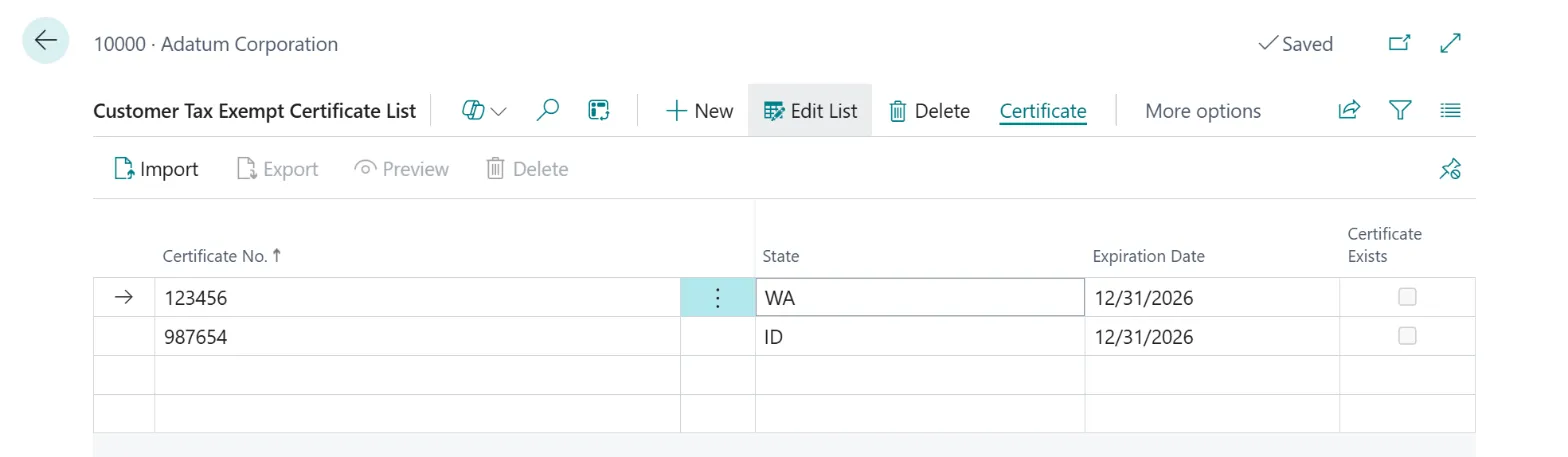 Figure: the tax exempt certificates of one customer.