
Tax areas and jurisdictions
Rate processing creates and maintains the standard Business Central tax areas, tax jurisdictions, and tax details. You do not need to create them manually.
What processing creates
For each rate that the service returns, the app does these steps:
- It creates or updates a tax area for the combination of state, post code, and city.
- It deletes the tax area lines of that tax area and creates them again.
- It creates the tax jurisdictions for the state, the county, the city, and the special district.
- It creates a tax detail for each tax jurisdiction and each tax group.
Tax area codes
The tax area code is the state, a hyphen, the five-digit post code, and the city. The app removes the spaces and uses capital letters. For example, Kent, WA 98042 becomes WA-98042KENT.
Tax jurisdictions
| Jurisdiction | Description on the jurisdiction |
|---|---|
| State | State of and the state code, for example State of WA |
| County | County of and the county and state |
| City | City of and the city and state |
| Special district | The post code and the word Misc.. The app creates it only when the special district rate is not 0 |
Each new tax jurisdiction gets the G/L accounts from the TaxRateCentral Setup Card. The state jurisdiction is the Report-to Jurisdiction.
Tax details
Each tax detail gets the Tax Type from the setup card. For a taxable tax group, the rate is the rate from the service. For a tax group that is not taxable, the rate is 0. See Tax groups.
Fields that TaxRateCentral adds
Tax Area card
| Field | What it shows |
|---|---|
| Primary Record | The app turns this on for the primary tax area of a post code. You cannot edit it. See Tax area assignment |
| Reporting Code City | The city reporting code from the service |
| Reporting Code County | The county reporting code from the service |
| Reporting Code State | The state reporting code from the service |
| Reporting Code Special District | The special district reporting code from the service |
The Tax Areas list also shows Primary Record.
Use the reporting codes to prepare the sales tax returns for each jurisdiction.
Tax Jurisdictions list
The Tax Jurisdictions list also shows the four reporting code fields. Rate processing fills them in. The sales taxes collected report uses the reporting codes of the tax jurisdictions.
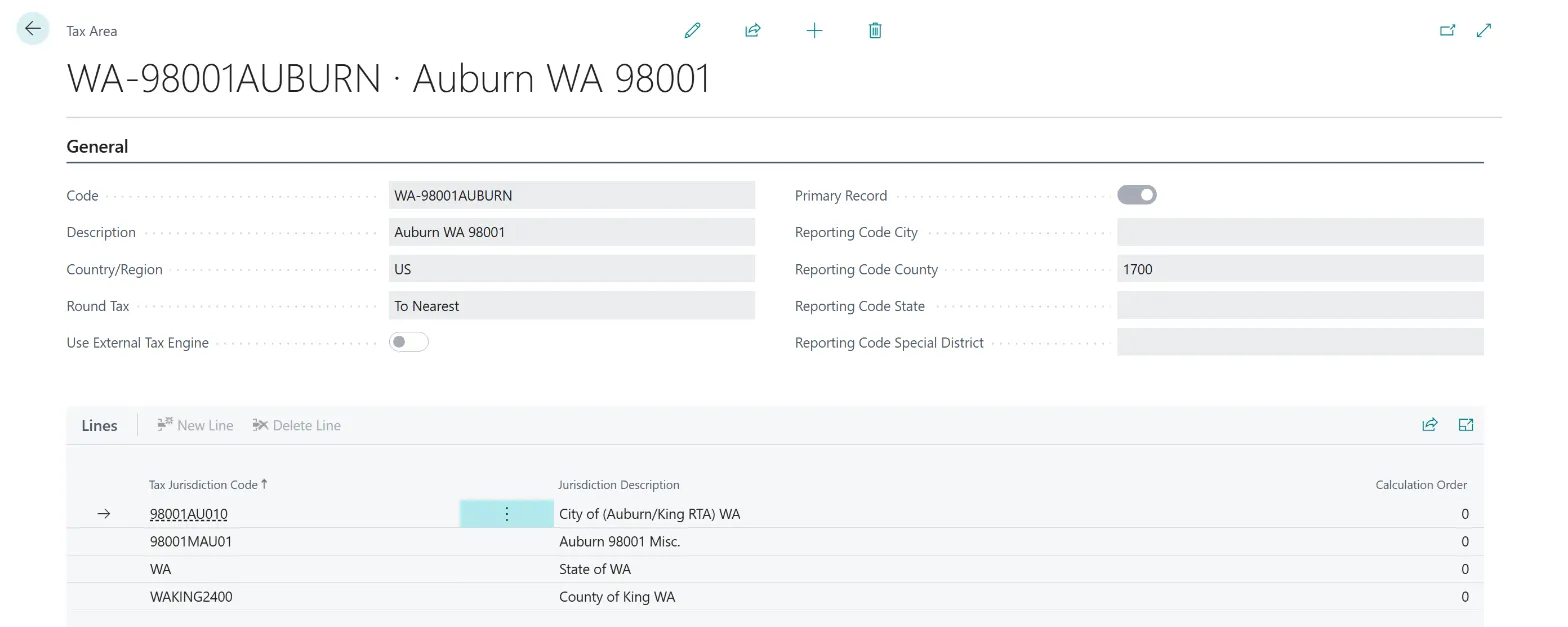 Figure: a tax area that rate processing created.
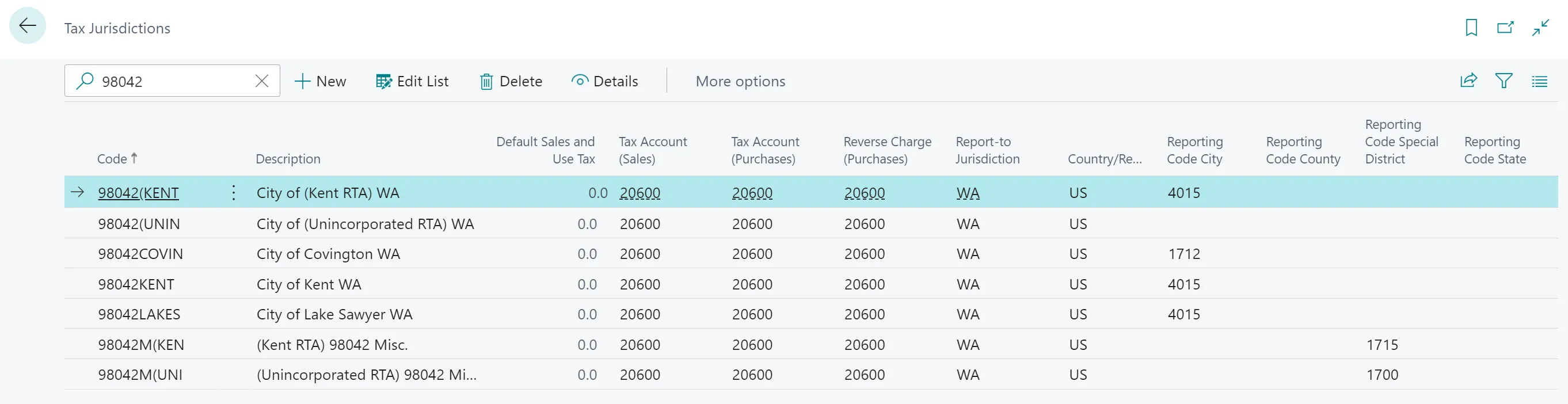 Figure: tax jurisdictions for one post code.
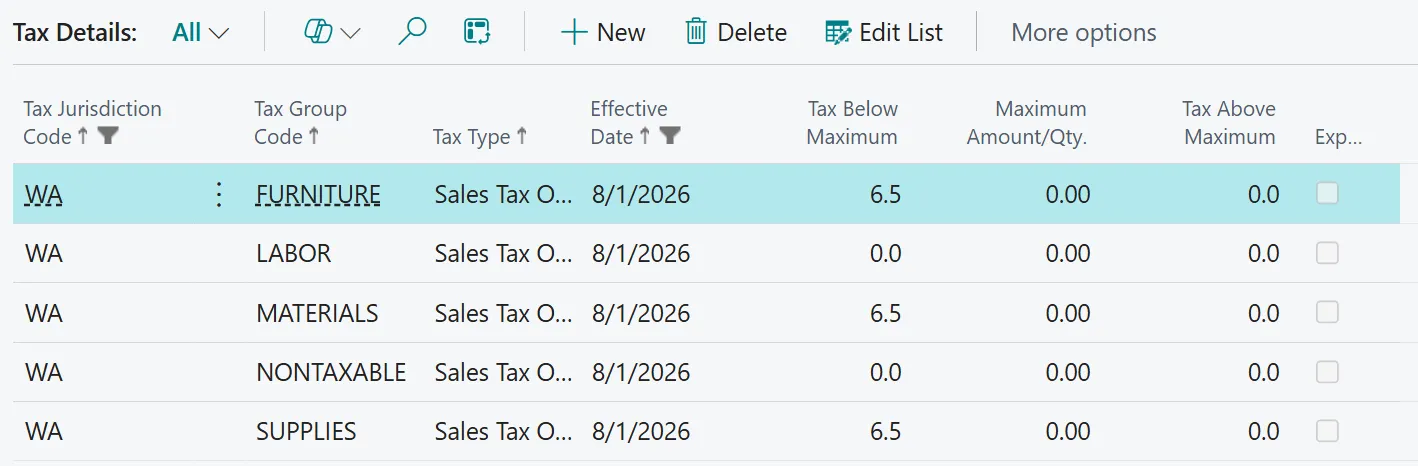 Figure: tax details for each tax group. The NONTAXABLE group has a rate of 0.